Hyperoptic - 150Mb Fibre Connection - Broadband Only
- 12 month contract
From 1 Apr 2027: £14.00 per month
From 1 Apr 2028: £18.00 per month

From 1 Apr 2027: £14.00 per month
From 1 Apr 2028: £18.00 per month

From 1 Apr 2027: £14.00 per month
From 1 Apr 2028: £18.00 per month
From 1 Apr 2027: £16.00 per month
From 1 Apr 2028: £20.00 per month
From 1 Apr 2027: £16.00 per month
From 1 Apr 2028: £20.00 per month
From 1 Apr 2027: £17.00 per month
From 1 Apr 2028: £20.00 per month
No matter which broadband provider you choose to switch to, you're entitled to a 14-day 'cooling off' window. During this time, if you change your mind about switching for any reason, you can cancel your new broadband contract without paying a penny.
Many of us set up a broadband service, pay our monthly bill, and give the matter no more thought. But are you wasting your hard-earned money? There could be better broadband deals out there for you.
If it's been quite a while since you last switched broadband provider, you could find that your contract has ended and the price you pay has gone up. Lots of providers offer tempting discounts for the first few months, then hike up the price. If you are happy with your broadband supplier, but your contract has ended and the price has gone up, you could try renegotiating and warning them you will switch if they can't offer you a better deal. But what are the best broadband deals for you? Here's everything you need to know to work that out.
There are different types of broadband connection. The types available to you depend on where you live and they work at different speeds. Broadband speed is measured in megabits per second (Mbps) and determines how much data you can download in a second. What is data? Everything that comes to your home over your internet connection. Websites, videos, video calls, emails, images, music, games…all data.
Tip: Make a list of your household's internet activities to determine the right speed for your needs.
This is the most basic type of broadband also known as standard broadband, with the slowest average speed, of around 11 Mbps. This is fine for a small household using email and browsing the internet, but is unlikely to be enough for heavy internet users.
This is faster, with average speeds of 30 to 100 Mbps. This type of service relies on plastic or glass 'fibre-optic' cables having been installed in your area, so may or may not be available to you. For a family streaming films and music with a few connected phones, tablets or computers, this will usually work well.
Superfast fibre averages around 30 Mbps to 300 Mbps, and uses the same kind of cable as fibre. It's a little faster on average, so is worth considering if your fast fibre connection is usually enough for your needs, but not quite fast enough at peak usage times.
Ultra-fast is only available where fibre connections can be installed all the way from your provider to your home and can provide speeds of 300 Mbps and above, often reaching up to 1 Gbps (1000 Mbps) or higher. If you work from home and rely on video conferencing, or If you have a large family of avid gamers with lots of consoles, phones, computers, and tablets all competing for bandwidth, it could be worth looking into whether ultra-fast fibre is an option.
Speed stats correct as of 03/05/2024
Did you know: Many providers offer tempting discounts for the first few months, then increase the price. Always check the full contract details.
Bear in mind that you will not get the maximum advertised speed all the time, or possibly ever. Companies advertise the average speed of their connections meaning that sometimes, particularly at peak times, your connection could be much slower. On the bright side, sometimes it could be faster! Your connection could be affected by the quality of the cabling in your building or to your building. The number of people online in your area and number of connections to the cabinet to which your home is wired can also make a difference. There are lots of services online that you can use to check your broadband speed.
Some companies love to offer you 'upgrades' on speed that could end up costing you more. It's always tempting to agree to a faster connection, but will it really make a difference? If the devices you use are limited to a 100 Mbps, and all the devices in your home use WiFi instead of a wired connection to your modem, upgrading to 200 Mpbs could make no difference at all unless you want to connect and use more devices at once. Sometimes it's worth downgrading the speed of your connection to save money without seeing any noticeable difference.
Remember: Advertised speeds are averages. Your actual speed may vary based on factors like location and time of day.
The type of broadband you've got can make a big difference to your speeds. ADSL usually clocks in around 10Mbps, while fibre and cable can race ahead with speeds up to 1Gbps (that's 1000Mbps!). But here's the catch – it all depends on where you live.
Even with nippy fibre broadband, the distance between your router and the telephone exchange / street cabinet can put a damper on your internet performance. It's all down to those pesky copper wires – the longer they are, the more speed they lose. So, if you're miles away from the exchange, you might notice your speeds going up and down like a yo-yo.
But wait, there's good news! If you've got an FTTP (Fibre to the Premises) connection, distance won't be an issue. The fibre optic cable runs straight to your door, so you can wave goodbye to those distance-related speed bumps. If speed is your number one priority and your home can handle it, it might be time to switch to FTTP.
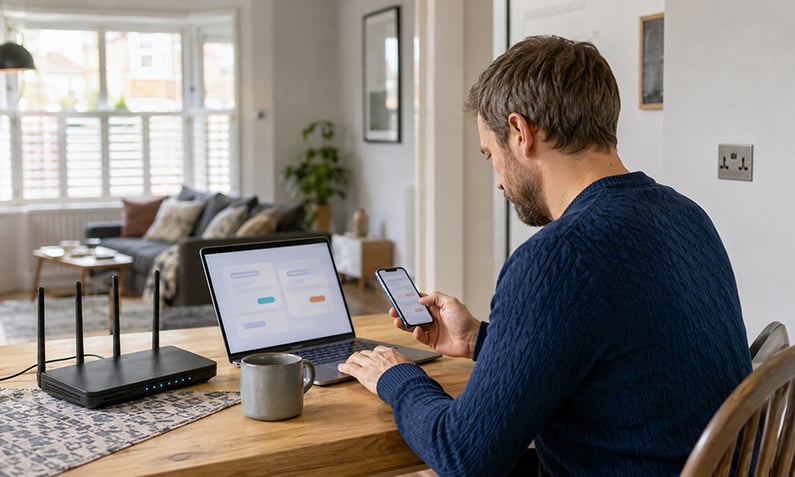
Where you put your wireless router can make a big difference to your connection speeds. For the best results, you'll want to find the perfect spot. Here's a pro tip: don't stick it in a cupboard or hide it behind the sofa – that's just asking for trouble. The signal will struggle to get through, and your speeds will take a hit.
Ideally, you want to place your router in the room where you use the internet the most. That way, you'll always have a strong signal right where you need it.
If you've got a houseful of internet-hungry devices, your broadband speeds might start to feel the strain. Things like social media browsing, online gaming, streaming in glorious 4K Ultra HD, and downloading massive files can all gobble up your bandwidth. So, if you're a heavy internet user, it's worth looking for a broadband package that can keep up with your digital lifestyle.
Just like the roads, the internet can get a bit congested at certain times of the day. You might notice your speeds slowing down in the evening when everyone's at home and online. It's the internet equivalent of rush hour traffic.
But don't panic! If your speeds dip below the minimum advertised level, it's worth keeping an eye on things. If it happens a lot, it might be time to have a chat with your provider. Use our postcode and broadband speed test checker to see what internet speeds you are actually getting.
Tip: For optimal Wi-Fi performance, place your router centrally in your home, away from other electronic devices.
Most broadband deals now offer unlimited data, which is great if you like to watch films or box sets. Watch out for limited data deals, as the charges for using extra data can be high and you could end up with an unexpectedly expensive bill.
If you pay for a cable TV packages and a landline, it's usually cheaper to get your broadband connection in a bundle. If you find that you don't really use a landline phone anymore, or barely turn on your TV as everyone in your household is busy watching different streaming services on their devices, it is worth looking at broadband-only deals. Are you paying for extras that you don't really use?
So far we saved £8,141,371 for utility customers and counting!
If you're all about no-fuss internet, then a broadband-only deal could be right up your street. Providers often throw in their fastest speeds with these packages, since they don't have all the bells and whistles to tempt you with.
Broadband-only is a great fit if you:
Ready to compare broadband-only deals? We've got you covered.
Lots of broadband providers still need a landline to get you connected to the world wide web. That's why they often bundle in a home phone with their deals – it's all about giving you more bang for your buck.
A broadband and home phone combo is perfect if you:
Keen to compare broadband with home phone deals? We've got plenty to choose from.
If you're a digital TV addict, then a broadband and TV package could be a match made in heaven. By bundling your internet with premium channels, you could save a pretty penny compared to having two separate contracts. Plus, if you're already buddies with the likes of Sky, Virgin Media, or BT, you might score an even sweeter deal.
Broadband with TV is a no-brainer if you:
Just remember, broadband deals with fancy TV packages only make sense if you actually watch a ton of channels you can't get anywhere else.
Ready to compare broadband with TV deals? Let's get started.
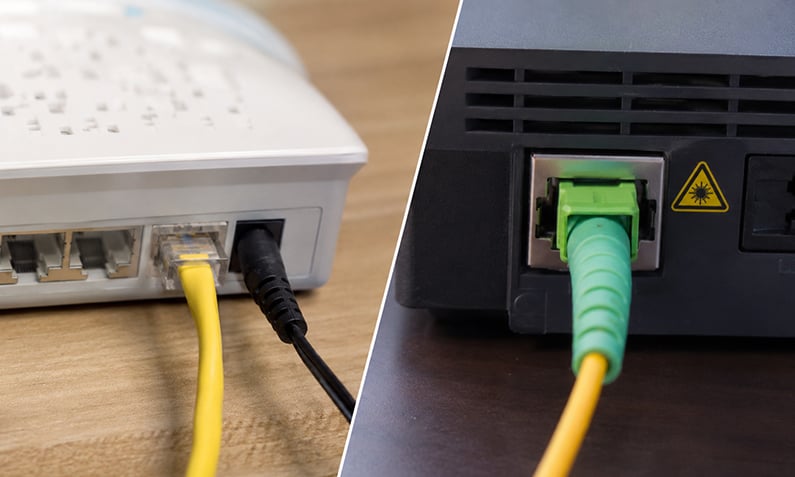
Want to take your internet to the next level? Fibre optic broadband is the way to go. With lightning-fast speeds and rock-solid reliability, it's perfect for households that demand the best.
Fibre optic is a must-have if you:
If you're running a business, you need an internet connection that can keep up. That's where business broadband comes in. With faster speeds, better support, and rock-solid reliability, it's the perfect choice for any company that means business.
Business broadband is a smart move if you:
Already got your broadband sorted? Then a TV-only package could be the missing piece of the puzzle. With a huge range of channels to choose from, you can create the perfect entertainment setup without the hassle of a bundled deal.
A TV-only package is ideal if you:
Things to consider in looking for a new broadband deal include:
First things first, think about how you use the internet at home. Are you a hardcore gamer or a streaming fanatic? Then you'll want to go for a speedy fibre or full fibre broadband connection. Trust us, it'll make all the difference when everyone's online at the same time.
Next up, consider how many people are in your household and what they get up to online. If you've got a big family with tons of devices, an unlimited broadband deal is the way to go. That way, everyone can stream, scroll, and game to their heart's content without any speed bumps.
We get it, you want all the fancy features, but make sure you're not paying over the odds. Here's a pro tip: work out the average monthly price over the whole contract, including any juicy cashback offers. And keep an eye out for any sneaky setup fees or equipment charges.
Before you put pen to paper, take a good look at the contract length. Are you ready to commit to this broadband provider for the long haul? Most contracts last between 12 and 24 months, so make sure you're happy with the service before locking yourself in. And watch out for any price hikes after the honeymoon period!
You might have your heart set on a particular deal, but double-check it's actually available where you live. Not all broadband types, like full fibre or satellite, are everywhere in the UK just yet. Use a postcode checker to see what's on the menu for your address.
Even with the fastest speeds, things can still go wrong. That's why it's worth choosing a broadband provider with top-notch customer service. Read reviews and ratings to get a feel for how they treat their customers. A helpful support team can be a lifesaver when you're in a bind.
Lots of broadband providers throw in some enticing extras to sweeten the deal, like free gadgets, gift cards, or cashback. When you're shopping around, keep an eye out for these bonus features – they might just sway your decision.
If you want to trim down your monthly bills, why not bundle your broadband with your phone, TV, or mobile plan? Providers often give you a discount for taking multiple services, so it's worth checking out what combos they offer. Just make sure you're actually saving money compared to buying them separately.
When you're signing up for a new broadband package or upgrading your existing one, you might need some new kit, like a snazzy Wi-Fi router. Some providers include this in the price, but others might charge extra. Read the small print carefully to avoid any budget-busting surprises.
Did you know: Factors like speed, customer service, and contract length are just as important as price when choosing a deal.
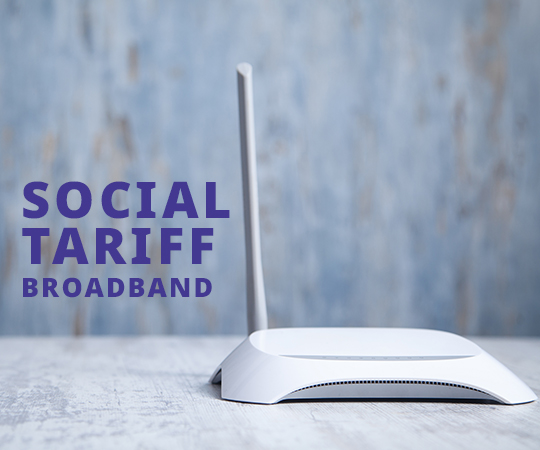
Are you feeling the pinch when it comes to your internet bills? Well, listen up! If you're on a low income, you might be able to save some serious cash with a social tariff broadband deal.
According to the Ofcom April 2023 report, switching to a social tariff could save you around £200 a year. That's a chunk of change that could make a real difference to your monthly budget.
So, who's eligible for these wallet-friendly deals? It all comes down to the benefits you receive. If any of these sound familiar, you could be in luck:
If you're nodding your head to any of those, it's time to get excited about social tariff broadband.
Mobile broadband is exactly what it sounds like – internet access that uses the same mobile networks as your smartphone. Instead of being tied to a fixed line, you can connect to the internet anywhere you have a mobile signal. Pretty neat, right?
Mobile broadband works by using the 4G or 5G network to send and receive data. You'll need a device (like a smartphone, tablet, or laptop) that's compatible with the network, and a SIM card or dongle that connects you to the internet.
Like any type of broadband, mobile broadband has its ups and downs. Here are a few things to consider:
Pros:
Cons:
If you live in a rural area where traditional broadband isn't available, satellite broadband could be the answer to your internet woes. As the name suggests, satellite broadband uses a satellite dish to send and receive data from space.
Satellite broadband works by sending and receiving data via a satellite dish that's mounted on your property. The dish communicates with a satellite in space, which then sends the data back to a ground station and out to the internet.
Satellite broadband is a great option for people who live in remote areas, but it's not without its drawbacks. Here are a few things to keep in mind:
Pros:
Cons:
Compare fibre optic broadband deals from the UK’s leading providers
Here's a step-by-step guide to make the process as painless as possible:
First things first, you need to let your broadband provider know that you're moving. Ideally, you want to give them at least two weeks' notice. This way, they can get everything sorted on their end and make sure your internet is up and running when you move in.
Now, here's the important bit. Before you start packing boxes, you need to check if your broadband provider actually covers your new address. Not all providers are available everywhere, so it's worth double-checking.
If your provider does cover your new home, great! You can move on to the next step. If not, don't panic. You might need to switch to a new provider, but we'll get to that later.
If your provider covers your new address, you've got a decision to make. Do you want to keep your existing broadband deal, or do you fancy an upgrade?
If you're happy with your current package and it's available at your new place, then sticking with it is a no-brainer. But if you've been eyeing up a faster speed or a juicy new deal, now could be the perfect time to make the switch.
Once you've decided on your broadband plan, it's time to arrange the move. Your provider will need a few key details, like:
They'll also let you know if there are any extra costs involved, like a moving fee or a new installation charge.
On the day of the big move, your provider will send an engineer to your new home to get your broadband all set up. They'll usually give you a timeframe for when they'll arrive, so make sure you're around to let them in.
The engineer will need access to your phone line and a power socket, so it's a good idea to have those ready and waiting. They'll get your broadband up and running, and then you're good to go!
If your current provider doesn't cover your new address, don't worry. You've still got options. You can:
If you are switching to or from Virgin Media, it is your job to contact your current supplier and let them know. For any other provider, it is the job of the new supplier to arrange the switchover.
You may need to pay for new equipment such as a modem and a TV box if you are bundling your services and get it sent out to you.
Check your contract to see whether you will have to pay an early termination fee. This will usually depend on whether you have had the service for longer than your minimum contract period.
You might need to return equipment to your current supplier. You could be charged for keeping the equipment if you don't return it when they ask you to. Most companies will send you packaging to return your equipment to a freepost address. Often, you will be able to drop it to a local shop or post office after your contract finishes, or arrange for it to be collected from your home. Again, this depends on the company, who will send you instructions.
You might need an engineer to visit your home, or the switchover may be completed without a visit.
If you are also switching between TV services, it is your job to cancel your service with the current provider, or you could end up having to pay both companies at once. Most companies require 30 days' notice, so check your contract.
Now that you know what to look for, read on to see which broadband deals could save you money - we've done the hard work for you!
The answer depends on how you use the internet at home. Got a house full of streamers, gamers, and web surfers? You'll want a fast Fibre optic broadband connection. Just checking emails and browsing Facebook? A standard broadband package might do the trick. Use our handy postcode and speed checker to see what's available in your area.
Absolutely! If you're tired of paying for a phone line you never use, a broadband-only deal could be the way to go. Just keep in mind that some providers still need a phone line to deliver their services, so your options might be a bit more limited.
First things first, run a speed test to see how your connection measures up. If it's not hitting the mark, give your provider a ring. They might need to send out an engineer or tweak some settings to get you back up to speed. If all else fails, it might be time to switch to a new provider.
Shopping for broadband can be a bit like finding a needle in a haystack. But don't worry, we've got your back. Our comparison tool makes it easy to see all the deals in your area, so you can find the perfect package for your needs and budget. Just enter your postcode and let us do the hard work!
Think of broadband as the highway that connects your home to the internet, and Wi-Fi as the cars that travel on it. Broadband is the actual internet connection, while Wi-Fi is the wireless technology that lets your devices hop online without a cable.
Living in the countryside doesn't mean you have to put up with slow internet. While your options might be a bit more limited than in the city, there are still plenty of ways to get connected. From satellite broadband to mobile broadband, there's a solution for every rural home.
When it comes to choosing a provider, it's not just about the price. You'll want to think about things like:
If you're happy with your current provider, there's no need to switch. But if you're out of contract and paying through the nose, it might be time to shop around. Loyalty doesn't always pay when it comes to broadband, so don't be afraid to jump ship if you spot a better deal.
Try these simple steps:
Setup fees and installation can be a real pain. The good news is that plenty of providers offer deals with no upfront costs. Just be sure to read the fine print, as sometimes a 'free' setup can mean higher monthly bills down the line.
Page last updated on: 06/05/2024
Page reviewed by: Brijesh Patel
Fibre Broadband vs Standard Broadband: The 2026 Guide
August 8nd, 2026
-
Fibre broadband vs standard broadband is the choice most UK households now face when picking a deal, and the gap
between the two is wider than it has ever been. Standard broadband runs partly or fu
How to Complain About Your Broadband Provider
August 8th, 2026
-
To complain about your broadband provider, raise the
issue with the provider first, give them a fair chance to fix it, and if it stays unresolved after six weeks (or you
receive a deadlock letter
Broadband Switching Process: A Simple UK Guide
August 8th, 2026
-
The broadband switching process in the UK now works through One Touch Switch, which means you only contact your new
provider and they arrange the whole move for you. Since 12 September 2024, you no