Hyperoptic - 150Mb Fibre Connection - Broadband Only
- 12 month contract
From 1 Apr 2027: £14.00 per month
From 1 Apr 2028: £18.00 per month
From 1 Apr 2027: £14.00 per month
From 1 Apr 2028: £18.00 per month
From 1 Apr 2027: £14.00 per month
From 1 Apr 2028: £18.00 per month
From 1 Apr 2027: £16.00 per month
From 1 Apr 2028: £20.00 per month
From 1 Apr 2027: £16.00 per month
From 1 Apr 2028: £20.00 per month
From 1 Apr 2027: £17.00 per month
From 1 Apr 2028: £20.00 per month
No matter which broadband provider you choose to switch to, you're entitled to a 14-day 'cooling off' window. During this time, if you change your mind about switching for any reason, you can cancel your new broadband contract without paying a penny.
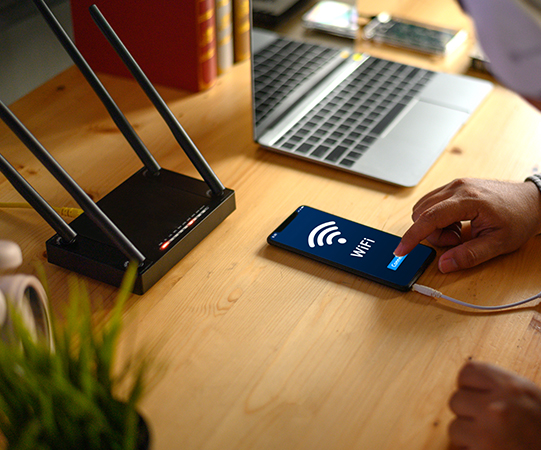
Wireless broadband is a type of internet connection that uses radio waves to transmit data from your provider to your devices, eliminating the need for physical cables. This technology offers a convenient and flexible way to access the internet, allowing you to connect multiple devices simultaneously without the hassle of wires.
Compared to traditional wired broadband, wireless broadband offers greater mobility and ease of setup. You can connect to the internet from anywhere within range of your wireless router, making it perfect for homes, offices, and on-the-go use.
In today's digital age, wireless broadband has become an essential utility for both personal and professional use. Here are some key reasons why wireless broadband is so important:
Did you know: You can often boost your wireless signal by simply adjusting your router's antennas. Try positioning them vertically for better coverage.
ADSL (Asymmetric Digital Subscriber Line) is a type of broadband that uses your existing phone line to transmit data. While not the fastest option available, ADSL is widely accessible and can be a suitable choice for light internet users or those on a budget.
ADSL broadband offers average download speeds of around 10-11Mbps, which is enough for basic web browsing, email, and standard-definition video streaming. However, it may not be suitable for households with multiple heavy internet users or those who require faster speeds for activities like gaming or high-definition streaming.
Fibre broadband is a high-speed internet connection that uses fibre optic cables to transmit data. There are two main types of fibre broadband:
Superfast fibre broadband is perfect for households with multiple internet users, those who stream high-definition video content, or gamers who require fast and stable connections.
Remember: Full fibre (FTTP) offers the fastest and most reliable wireless connection, but check availability in your area as it's not yet universally accessible.
Cable broadband is a type of internet connection that uses the same coaxial cables as cable TV services to transmit data. In the UK, the main provider of cable broadband is Virgin Media.
Cable broadband offers fast speeds, with average download speeds ranging from 54Mbps to 1130Mbps, depending on the package you choose. This makes it suitable for households with high internet usage, such as those with multiple users streaming, gaming, or working from home.
However, cable broadband is not as widely available as ADSL or fibre broadband, as it requires a specific cable network infrastructure. Coverage is primarily focused in urban areas and may be limited in rural locations.
Full fibre broadband, or Fibre-to-the-Premises (FTTP), is the fastest type of broadband available. It uses fibre optic cables to deliver data directly from the exchange to your property, offering ultra-fast and reliable speeds.
With full fibre broadband, you can expect average download speeds ranging from 100Mbps to 1Gbps (1000Mbps), depending on the package you choose. This makes it ideal for households with heavy internet usage, such as those with multiple users streaming 4K content, gaming online, or running bandwidth-intensive applications.
Full fibre broadband is becoming increasingly available across the UK, with providers like Openreach (BT), Virgin Media, and CityFibre expanding their networks. However, coverage is still limited compared to ADSL and FTTC broadband, so it's important to check availability in your area before committing to a deal.
With unlimited broadband, you pay a set monthly price for your internet connection and can use as much data as you like
When comparing wireless broadband deals, there are several key factors to consider:
Equipment and installation fees: Most providers include a wireless router as part of their broadband package, but some may charge an upfront fee for the equipment. Additionally, some deals may have installation or setup fees, which can add to the overall cost. Factor these costs into your decision when comparing deals.
Tip: Consider the number of devices in your household when choosing a speed. As a rule of thumb, add 10Mbps for each device that will be used simultaneously.
Mobile broadband is another type of wireless internet connection that uses 4G or 5G mobile networks to provide internet access. This can be a great option if you need internet on the go or if you live in an area with limited fixed-line broadband coverage.
Mobile broadband works by connecting a portable device, such as a dongle or mobile Wi-Fi hotspot, to your laptop, tablet, or smartphone. This allows you to access the internet anywhere with mobile network coverage.
The main benefits of mobile broadband are its portability and flexibility. You can use it at home, at work, or while travelling, making it perfect for people who need internet access in multiple locations. However, mobile broadband can be more expensive than fixed-line broadband and may have lower data allowances or slower speeds.
Did you know: Some mobile broadband providers offer 'data rollover', allowing you to keep unused data for the next month. Look out for this feature if your usage varies.
Here are some of the top wireless broadband providers in the UK:
In addition to the big-name providers, there are several smaller wireless broadband providers worth considering:
Wireless broadband offers several advantages over wired connections:
While wireless broadband has many benefits, there are also some potential drawbacks to consider:
Tip: To improve your wireless security, change your router's default admin password and network name (SSID). This makes it harder for potential intruders to access your network.
With 100Mbps, you can enjoy seamless streaming, online gaming, and quick file downloads without any lag or buffering.
One of the easiest ways to find the best wireless broadband deal is to use an online comparison site such as Free Price Compare. These tools allow you to enter your postcode and compare the available deals from multiple providers in your area. When using a comparison site, you can filter the results by factors like speed, price, and contract length to find the best deal for your needs. Using a comparison site can save you time and effort by allowing you to easily compare deals from different providers in one place.
In addition to using comparison sites, there are a few other tips to keep in mind when searching for the best wireless broadband deal:
To keep your wireless network secure and protect your personal data, it's important to take some basic security measures:
Remember: Most providers offer a cooling-off period. If you're not satisfied with your new wireless service, you can usually cancel within 14 days without penalty.
The speeds you can expect with wireless broadband depend on several factors, including the type of connection you have (e.g., ADSL, fibre, or cable), your provider, and your location.
Here are some general speed ranges for different types of wireless broadband:
It's important to keep in mind that the actual speeds you experience may vary depending on factors like the number of users on your network, the distance from your router, and the time of day (speeds may be slower during peak usage hours).
Setting up a wireless router is generally a straightforward process, and most providers include step-by-step instructions with their equipment. Here's a basic overview of the setup process:
Yes, it is possible to get wireless broadband without a phone line, depending on the type of connection and provider you choose.
However, it's important to note that many ADSL and Fibre-to-the-Cabinet (FTTC) broadband packages still require an active phone line, even if you don't use it for calls. In these cases, you may need to pay for line rental as part of your broadband package.
The best wireless router for you will depend on your specific needs, such as the size of your home, the number of devices you have, and your budget. However, here are some of the top-performing wireless routers currently available:
BT Smart Hub 2: The default router provided by BT, offering strong performance and easy setup for BT broadband customers.
When choosing a wireless router, consider factors like the Wi-Fi standard (e.g., Wi-Fi 5 or Wi-Fi 6), the number of bands (dual-band or tri-band), and the number of Ethernet ports for wired connections.
If you're experiencing slow wireless internet speeds, there are several steps you can take to improve your performance:
In many cases, you can use your own router with your wireless broadband package, but it depends on your provider and the type of connection you have.
Page last updated on: 24/06/2024
Page reviewed by: Brijesh Patel
Fibre Broadband vs Standard Broadband: The 2026 Guide
August 8nd, 2026
-
Fibre broadband vs standard broadband is the choice most UK households now face when picking a deal, and the gap
between the two is wider than it has ever been. Standard broadband runs partly or fu
How to Complain About Your Broadband Provider
August 8th, 2026
-
To complain about your broadband provider, raise the
issue with the provider first, give them a fair chance to fix it, and if it stays unresolved after six weeks (or you
receive a deadlock letter
Broadband Switching Process: A Simple UK Guide
August 8th, 2026
-
The broadband switching process in the UK now works through One Touch Switch, which means you only contact your new
provider and they arrange the whole move for you. Since 12 September 2024, you no